Path 01
Rehost
Same site, safer home.
Your existing website moves as-is to modern cloud hosting. Nothing about how it looks or works changes — it just stops living on a server that's out of support.
Best fit: the site does its job well and just needs to get off dying hardware.
Technical details
- IIS site lifted to a managed Windows cloud host — usually the most direct way to migrate legacy IIS to Azure App Service; classic ASP and ASP.NET supported
- SQL Server database migrated to a managed SQL Server service, typically Azure SQL Database or SQL Managed Instance
- Connection strings, app settings, and IIS config translated and verified
- TLS certificates provisioned; DNS cutover with a final data sync at go-live
Path 02
Rebuild
Same job, modern engine.
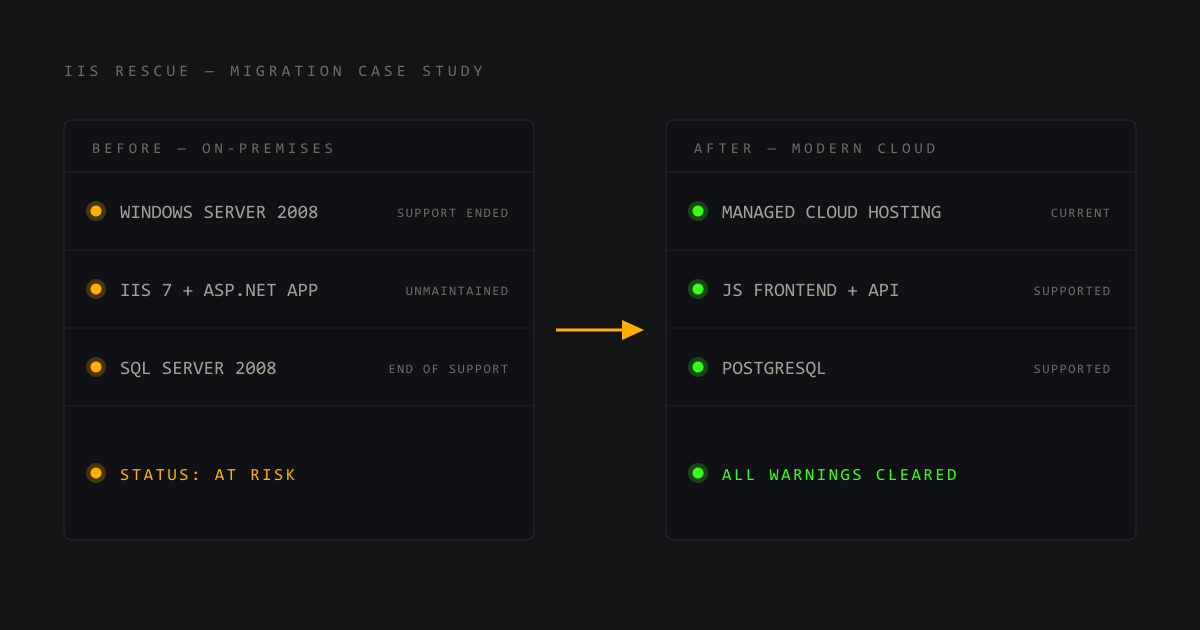
The site is rebuilt on a current, supported platform — keeping the content, data, and workflows that work, and shedding twenty years of accumulated duct tape.
Best fit: the site matters to the business but the code has become unmaintainable.
Technical details
- Classic ASP / ASP.NET WebForms rebuilt on a modern stack — ASP.NET Core on Azure App Service, or a JavaScript frontend with PostgreSQL on Netlify, depending on the project
- Database schema and data migrated to a modern managed database — Azure SQL, PostgreSQL, or similar; queries updated and tested
- Existing URLs preserved or 301-redirected so search rankings carry over
- Old and new run side by side until you approve the switch
Path 03
Replace
A clean start, nothing lost.
If the site is really just pages and a contact form, it's replaced with a fast, modern static site. No servers, no patching, and hosting costs near zero.
Best fit: content-only sites where the database and server were always overkill.
Technical details
- Static HTML/CSS/JS on Netlify or Azure Static Web Apps — no OS to maintain
- Contact forms handled by the hosting platform; no backend required
- Legacy database content exported, archived, and handed to you
- Old URLs mapped with redirects; TLS and global CDN included by the platform